
Enhance Security with Unifi Cameras in Hermiston, Oregon
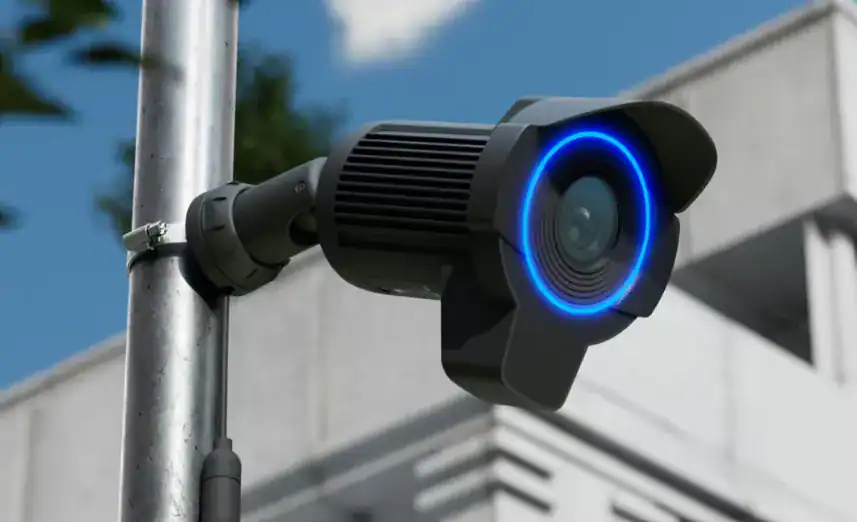
Unifi license plate reader cameras perfect for commercial businesses.
Unifi License Plate Reader (LPR) cameras have emerged as a vital tool for commercial businesses looking to enhance their security and operational efficiency. These specialized cameras are designed to automatically detect and read vehicle license plates, allowing businesses to monitor access to their premises effectively. By implementing LPR technology, companies can not only improve their security measures but also streamline various aspects of their operations. The integration of LPR cameras with existing Unifi security systems facilitates real-time data collection and analysis, which can be crucial for maintaining a safe environment.
One of the standout features of Unifi LPR cameras is their ability to store and manage license plate data efficiently, enabling businesses to track incoming and outgoing vehicles. This data can be invaluable for identifying potential security threats, managing parking facilities, or even keeping tabs on customer arrivals. Moreover, these cameras come equipped with high-resolution imaging and advanced analytics that can help in recognizing patterns over time, such as peak business hours or frequently visiting vehicles. For commercial businesses, investing in Unifi LPR cameras not only secures their assets but also enhances overall operational workflows, allowing for a safer and more organized business environment.
Comprehensive Unifi Camera Installation Guide: Setting Up Ubiquiti AI License Plate Reader Cameras for Enhanced Security
Ubiquiti Unifi cameras, particularly those with AI license plate recognition, represent a marked advance in surveillance technology. They enhance security and simplify monitoring of vehicle movements, making them useful for residential and commercial sites. This guide explores Unifi camera features, provides a step-by-step installation tutorial, and covers troubleshooting to ensure reliable performance. Understanding installation best practices and the underlying technology helps users improve their security systems. The guide also covers integration with existing infrastructure and highlights user feedback and case studies for a practical perspective on these surveillance tools.
Unifi AI License Plate Reader Highlights & Benefits by Total Security
- Ubiquiti Unifi cameras offer AI license plate recognition for enhanced security and vehicle monitoring.
- AI capabilities provide real-time vehicle alerts, improving response times and data collection.
- Key features include high-resolution imaging, network integration, and real-time alerts for effective surveillance.
- Installation typically involves a site survey, secure mounting, and PoE connections for optimal performance.
- Network integration requires configuring AI settings and adding cameras via the Unifi Controller.
- Troubleshooting commonly involves checking connections, updating firmware, and reviewing network settings.
- Integration with existing systems requires compatibility checks for protocols and management software.
- Structured data and visual aids improve understanding and search visibility for installation guides.
- Monitor firmware updates for improved AI algorithms and security patches.
What Are Ubiquiti Unifi Security Cameras and Their AI License Plate Recognition Features?
Ubiquiti Unifi security cameras are surveillance devices designed for high-quality video monitoring and enhanced features. A standout capability is AI license plate recognition, which enables real-time identification and vehicle tracking. This automation improves surveillance efficiency and provides timely alerts for potential security incidents.
How Does AI License Plate Recognition Enhance Surveillance?
AI license plate recognition improves vehicle identification accuracy by applying advanced algorithms to video feeds and generating real-time alerts for vehicles of interest. The system is tuned to handle challenging conditions — low light, motion blur, and higher speeds — so security personnel receive timely notifications. Beyond alerts, the technology aids data collection that supports investigations and security analysis.
Further research underscores the practical application of AI in vehicle monitoring for security purposes.
AI-Powered Vehicle Monitoring System for Enhanced Security
This paper presents an AI-powered vehicle Monitoring System using EasyOCR, OpenCV, and HaarCascade algorithms. The project is the detection of the license plate of a vehicle entering a gate and saving the date, time, and license plate number in a database to enhance the security of the institution.
Study of an AI-powered vehicle monitoring system: an ensembled approach for intelligent surveillance, VK Muneer, 2024
What Are the Key Features of Ubiquiti Unifi AI License Plate Reader Cameras?
Ubiquiti Unifi AI license plate reader cameras include several features that improve their usefulness and accuracy. These include:
Together, these features create a robust surveillance solution suitable for many security applications.
How to Perform a Step-by-Step Unifi Camera Setup Tutorial for AI License Plate Reader Models?
Setting up Unifi AI license plate reader cameras requires a series of practical steps to ensure correct installation and configuration. The following sections guide you through the process to achieve consistent, reliable performance.
What Are the Essential Installation Steps for Ubiquiti Unifi Cameras?
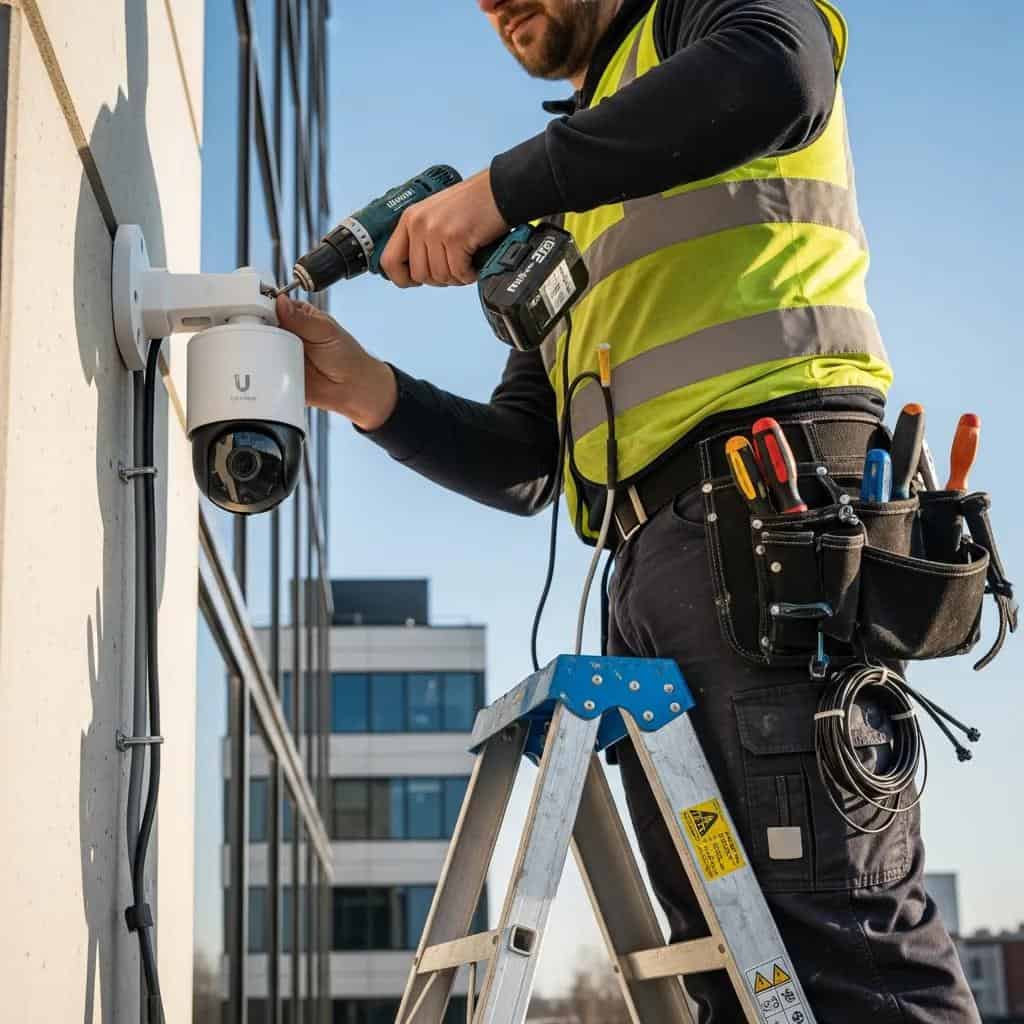
To install Unifi cameras effectively, follow these essential steps:
- Conduct a Site Survey : Assess the area where cameras will be installed to determine optimal placement and coverage.
- Mount the Cameras : Securely mount cameras at chosen locations and angle them to capture the desired field of view.
- Connect Power and Network : Use Power over Ethernet (PoE) to connect cameras to your network, reducing the need for separate power lines.
These preparations help ensure cameras function correctly and cover key areas without blind spots.
How to Configure Network Integration and AI Settings During Setup?
After physical installation, configure network settings and AI parameters to integrate cameras into your monitoring system. Here’s a concise setup flow:
- Access the Unifi Controller : Log into the Unifi Controller software to manage devices.
- Add the Cameras : Follow prompts to adopt the new cameras into your network.
- Configure AI Settings : Adjust license plate recognition options, alert thresholds, and vehicle types to monitor.
Proper configuration ensures the cameras operate reliably within your larger security infrastructure.
What Are Common Troubleshooting Solutions for Ubiquiti Unifi AI License Plate Reader Cameras?
Even advanced cameras can encounter issues. The following troubleshooting steps address frequent problems and restore reliable operation.
How to Resolve Installation and Firmware Update Issues?
Installation or firmware issues are often resolved with basic checks and maintenance:
- Check Connections : Make sure all cables are firmly connected and cameras are receiving power.
- Update Firmware : Use the Unifi Controller to check and apply firmware updates; many issues are fixed by updates.
- Reboot the Cameras : If problems persist, reboot the devices to refresh settings and network links.
These actions restore functionality in many cases and are a good first step before deeper diagnostics.
What Are Network Integration Troubleshooting Tips?
Network problems can prevent camera connectivity or degrade performance. Use these checks to isolate network issues:
- Verify Network Settings : Confirm correct IP addressing, gateway, and subnet settings for each camera.
- Check for Interference : Identify physical obstructions or electronic sources that may disrupt connectivity.
- Consult Logs : Review logs in the Unifi Controller for messages that indicate the root cause.
Following systematic checks keeps your surveillance network stable and easier to manage.
How to Integrate Ubiquiti Unifi Cameras with Existing Security Systems?
Integrating Unifi cameras with an existing security ecosystem improves centralized management and reporting. Planning and compatibility checks reduce integration friction.
What Compatibility Considerations Should Be Made?
When connecting Unifi cameras to other systems, verify these technical compatibility points:
- System Requirements : Ensure the existing security system meets technical requirements for integration.
- Protocol Compatibility : Confirm both systems support compatible communication protocols for data exchange.
- Software Integration : Check that management software can incorporate Unifi camera streams and events.
Addressing these factors before installation reduces configuration issues and downtime.
How to Optimize AI License Plate Reader Performance in Integrated Systems?
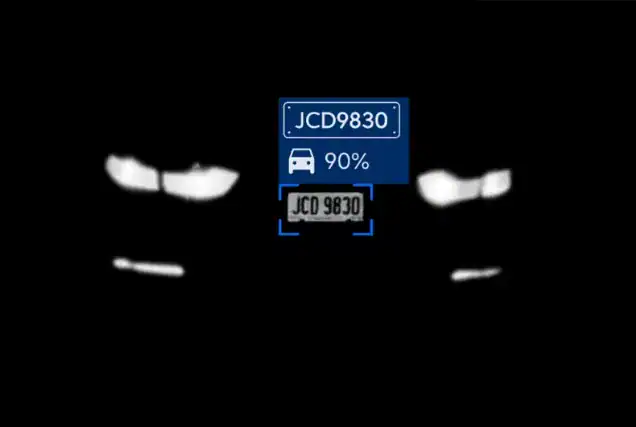
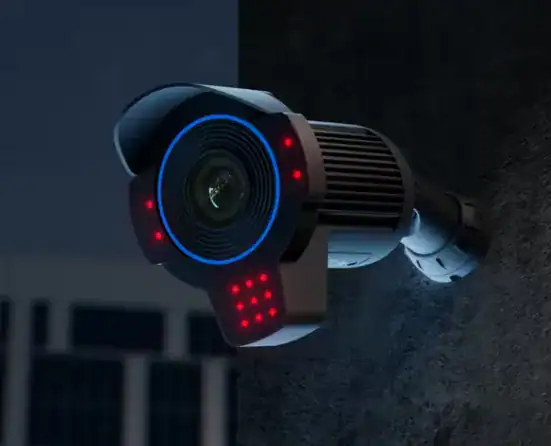
To maximize recognition accuracy in integrated deployments, tune camera and system settings and monitor performance metrics:
- Adjust Camera Settings : Fine-tune frame rate, exposure, and resolution to improve capture quality.
- Regular Maintenance : Keep lenses clean and perform periodic inspections to avoid degraded image quality.
- Monitor Performance Metrics : Use analytics to track recognition rates and adjust parameters as needed.
Routine tuning and maintenance help sustain high recognition accuracy over time.
What Are User Reviews and Case Studies Demonstrating AI License Plate Reader Effectiveness?
User reviews and case studies reveal practical outcomes and common benefits when deploying Unifi AI license plate readers in the field.
Which Recent Case Studies Highlight AI Surveillance Benefits?
Case studies show AI surveillance success in varied environments. For example, deployment at a commercial parking facility reduced unauthorized vehicle access by 30%, demonstrating how license plate readers can strengthen access control and incident response when integrated into security protocols.
Beyond specific applications, the broader impact of AI-powered surveillance extends to shaping smart city environments and enhancing public safety.
AI-Powered Surveillance & Computer Vision for Smart Cities
This chapter offers an exploration of AI-powered surveillance for smart cities, delving into foundational concepts, and the pivotal role of computer vision techniques in shaping urban environments. The chapter focuses on the evolution of surveillance methods, from basic to advanced smart systems, and how these systems can aid in public safety, urban planning, and crisis management in the context of smart cities. Various uses of smart surveillance in traffic management and law enforcement are discussed, highlighting challenges such as privacy and biases and emphasizing the need for ethical guidelines.
AI-powered surveillance for smart cities, V Gautam, 2025
What Do Professional Installers and Users Say About Ubiquiti Unifi Cameras?
Professional installers and users report high satisfaction with Unifi cameras. Installers praise straightforward installation and reliable hardware, while many users highlight clear video quality and dependable support from Ubiquiti. These strengths make the platform a common choice for many security deployments.
How to Use Structured Data and Visual Aids to Enhance Installation and Product Understanding?
Structured data and visual aids make installation guides and product pages easier to understand for both users and search engines.
What Structured Data Schemas Improve Search Engine Comprehension?
Adding structured data helps search engines interpret content. Consider these common schemas:
- Product Schema : Helps search engines understand product details, including features and pricing.
- How-To Schema : Enhances visibility for installation guides by presenting steps directly to search engines.
- Review Schema : Shows user reviews and ratings, increasing trust and click-through rates.
Proper schema usage can improve search visibility and attract relevant visitors.
How to Utilize Installation Diagrams and AI Workflow Graphics Effectively?
Use clear diagrams and workflow graphics to simplify complex installation and AI processes. Best practices include:
- Clear Labeling : Label diagrams distinctly so readers can follow component roles and connections.
- Step-by-Step Graphics : Break the installation into visual steps to make the process easier to follow.
- Incorporate Examples : Include real-world workflow examples to show how AI processing integrates with system workflows.
Well-designed visuals reduce confusion and speed up successful installations.
What Are the Latest Industry Trends and Updates for AI License Plate Recognition Cameras?
Keeping up with industry trends ensures systems remain current and effective. The field is evolving quickly as algorithms and processing improve.
How Is AI Surveillance Technology Evolving in 2025-2026?
AI surveillance is advancing with stronger machine learning models and greater on-device processing. These improvements increase recognition accuracy and reduce latency. Expect better integration with smart city systems, richer analytics, and more efficient edge compute workflows that lower bandwidth and storage needs.
The ongoing evolution of AI-based systems continues to drive significant improvements in real-time license plate recognition for various applications.
AI-Based Real-Time License Plate Recognition for Traffic Monitoring
In conclusion, The development of AI-based real-time vehicle license plate recognition systems has significantly enhanced the accuracy and efficiency of traffic monitoring, law enforcement, and overall public safety. These systems leverage advanced deep learning algorithms to process video feeds, identify license plates, and extract crucial information with remarkable speed and precision.
AI-Based Real-Time Vehicle License Plate Recognition: A Deep Learning Approach for Efficient Traffic Monitoring, H Sharma, 2025
What Firmware and Feature Updates Should Users Monitor?
Monitor firmware that improves AI accuracy, user experience, and system security. Key update areas include:
- Enhanced AI Algorithms : Updates that improve license plate recognition accuracy under varied conditions.
- User Interface Improvements : Interface refinements that simplify management in the Unifi Controller.
- Security Patches : Regular fixes that address vulnerabilities and strengthen system defenses.
Regular updates help maintain reliability and benefit from ongoing algorithm improvements.
Where to Find Professional Installation Services and Support for Ubiquiti Unifi Cameras?
Qualified installers and reliable support are important when deploying AI-capable cameras at scale. Use the guidance below to find appropriate services.
How to Choose Certified Installers for AI License Plate Reader Cameras?
When choosing installers, evaluate experience, certifications, and reputation:
- Experience with Ubiquiti Products : Prefer installers with a proven track record working with Unifi systems.
- Certifications : Confirm relevant certifications that demonstrate technical competence.
- Customer Reviews : Review testimonials and client feedback to assess service quality.
Selecting the right installer reduces deployment issues and improves long-term system performance.
What Support Resources Are Available for Troubleshooting and Maintenance?
A variety of resources help with troubleshooting and upkeep:
- Online Forums : Community forums where users share experiences and solutions.
- Official Documentation : Guides and manuals provided by Ubiquiti for common issues and best practices.
- Customer Support : Direct vendor support for complex problems requiring expert assistance.
Using these resources keeps systems healthy and reduces resolution time for issues.
Frequently Asked Questions
What are the benefits of using Ubiquiti Unifi AI license plate reader cameras in commercial settings?
Ubiquiti Unifi AI license plate reader cameras provide enhanced security through automated vehicle monitoring and rapid identification. They reduce unauthorized access, speed incident response, and produce data useful for security analysis. Integration with existing systems enables centralized management, while high-resolution imaging captures crucial detail for investigations and insurance purposes.
How can I ensure optimal placement of Ubiquiti Unifi cameras for maximum coverage?
Conduct a thorough site survey to identify priority monitoring areas, considering lighting, obstructions, and required field of view. Mount cameras at strategic heights and angles to maximize coverage and minimize blind spots. Test and adjust angles before finalizing placement to verify the captured view meets recognition and coverage needs.
What maintenance practices should be followed for Ubiquiti Unifi AI license plate reader cameras?
Regular maintenance extends camera life and maintains accuracy. Clean lenses periodically to remove dust and debris, check for firmware updates, and perform routine inspections of connections and mounts. Promptly address any issues found during inspections to preserve optimal operation.
Can Ubiquiti Unifi cameras be integrated with smart home systems?
Yes. Using compatible protocols and management software, Unifi cameras can connect to smart home hubs for centralized control and automation. This enables remote monitoring, automated alerts, and viewing feeds on smart devices. Verify compatibility with your smart home platform before integrating.
What are the privacy considerations when using AI license plate recognition technology?
Privacy is a key consideration. Comply with local laws and regulations on surveillance and data collection, inform affected individuals when required, and define clear data retention and access policies. Secure storage and access controls help protect sensitive records, and ethical considerations should guide deployment to balance public safety with privacy rights.
How do I troubleshoot connectivity issues with Ubiquiti Unifi cameras?
Start by checking physical connections and power. Verify network settings such as IP addresses and subnet masks. If problems continue, review Unifi Controller logs for errors and restart cameras or network gear to clear transient faults. These steps resolve most connectivity issues.
Conclusion
Implementing Ubiquiti Unifi AI license plate reader cameras improves security by enabling automated vehicle monitoring and timely alerts. Follow the installation and configuration steps in this guide to maximize system effectiveness. Regular maintenance and firmware updates preserve performance and reliability. For larger deployments or complex integrations, consider professional installation services and vendor support to ensure the best results.